
How to Get Your Vehicle Revenue Licence Online in Sri Lanka
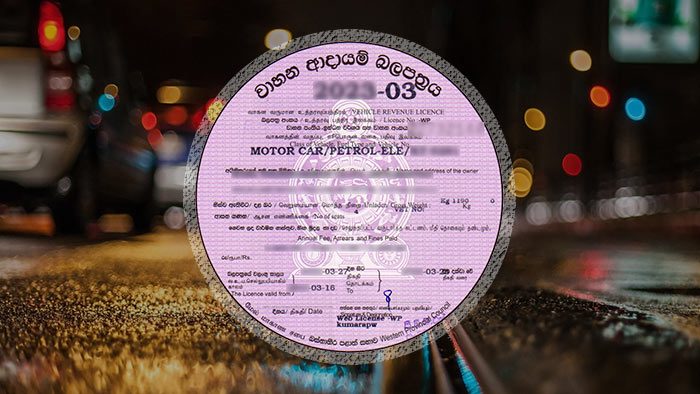
Renewing your vehicle revenue licence in Sri Lanka no longer means spending hours waiting at an office. You can now apply for your Revenue Licence online through the government’s e-Revenue Licence portal.
Whether you own a car, van, motorcycle, or another eligible vehicle, the online process is simple if you have the required documents and payment method ready.
In this guide, we explain how to get your vehicle revenue licence online in Sri Lanka, what you need, and how the process works.
What You Need Before Applying
Before starting your online application, make sure you have:
A valid Insurance Certificate
A valid Vehicle Emission Test (VET) Certificate, where applicable
A valid Vehicle Fitness Certificate (VFT), where applicable
Your vehicle number
The last 6 digits of your chassis number
A valid credit card or supported QR payment app with sufficient funds
Your own mobile phone to receive the OTP for verification
An active email address to receive your temporary licence and payment information
The required certificates can vary depending on your vehicle category.
How to Get Your Revenue Licence Online
You can apply through the official e-Revenue Licence portal: Sri Lanka e-Revenue Licence Portal
Step 1: Log In or Create an Account
Visit the e-Revenue Licence website and log in using your Google or Facebook account.
If you don't have either account, you can create an account using a username and password.
Step 2: Enter Your Vehicle Details
Enter your:
Vehicle number
Last 6 digits of your chassis number
Make sure these details match your vehicle documents.
Step 3: Confirm Your Vehicle Information
The system will display your vehicle details.
Check the information carefully, including:
Ownership details
Insurance status
Vehicle Emission Test (VET) status
Vehicle Fitness Certificate (VFT), where applicable
Revenue Licence fee
Make sure the displayed information is correct before continuing.
Step 4: Select the Delivery Method
Choose your preferred delivery method for the revenue licence according to the options available on the portal.
Step 5: Select Your Payment Method
Choose an available payment method and complete the payment.
Make sure your credit card or QR payment app has enough funds before starting the payment.
Step 6: Complete OTP Verification
You may need to verify your mobile number using an OTP (One-Time Password).
Keep your mobile phone with you during the application process.
Step 7: Download Your Temporary Revenue Licence
After successfully completing the payment, you can receive the Temporary Revenue Licence through your email or download it directly to your device.
Keep a copy of the receipt and temporary licence for your records.
Why Get Your Revenue Licence Online?
The online service can make the renewal process more convenient because you can:
Apply without visiting a government office
Complete the process from your phone or computer
Make the payment online
Receive your temporary licence digitally
Save time on travelling and waiting in queues
Before You Start: Quick Checklist
Before applying, check that you have:
Valid insurance
Valid VET certificate, if required
Valid VFT certificate, if required
Vehicle number
Last 6 digits of chassis number
Payment method with sufficient funds
Your mobile phone for OTP verification
Access to your email
Ready to find your next vehicle? Explore available cars, vans, and other vehicles on Gear Nest.